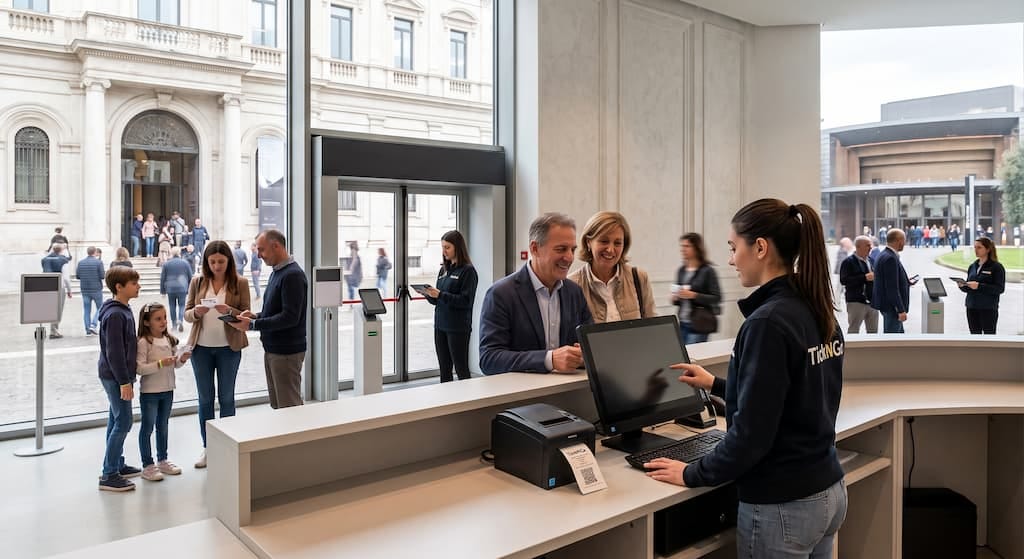
Automatic ticketing: the museum kiosk that never takes a break

Why can an automatic ticketing system reduce queues at the museum?
Have you ever seen the queue grow in front of the ticket counter just as a group arrives, with a single operator selling tickets, answering questions and checking admissions?
In museums and archaeological sites it happens mostly at peak times: weekends, public-holiday bridges, days with major exhibitions. In those moments the queue is not just an inconvenience. It slows down admissions, takes time away from visitor services and risks becoming the first memory of the visit, before the works themselves. It also means lost sales, because people who have waited a long time rarely stop to buy an extra service.
An automatic ticketing system moves the most repetitive operations onto a self-service kiosk: selling, payment and collection of tickets booked online. This way the staff can dedicate more time to visitors.
To evaluate it, however, you need to know exactly what it does, what benefits it brings to the organisation and which model suits your audience and the features of your site best.
What is a self-service kiosk for museums and how does it work?
An automatic ticketing system is a self-service kiosk with a touchscreen, payment systems and a printer, connected to the museum's electronic ticketing platform. Unlike a simple vending machine, the kiosk and online sales are part of the same system: when a price changes or a time slot sells out, the update applies everywhere at once, and a seat sold on the website can never be sold again at the kiosk.
For museums and archaeological sites the main benefit is being able to keep selling tickets even when the staff are busy elsewhere or the traditional counter is closed, with a station that can be installed both indoors and outdoors.
Buying or collecting a ticket takes four steps:
- Choosing the ticket: the visitor selects the admission and, in the same purchase, can add audio guides, guided tours or educational activities.
- Payment: you pay in cash with change, by card or with digital payments, depending on the kiosk model.
- Printing or collection: those buying on the spot receive the printed ticket immediately, while those who booked online can choose to enter directly with the QR code on their smartphone or collect the paper ticket with the pick-up function.
- Admission: the ticket's QR code is read at the gate.
From the first touch on the screen to passing through the gate, the visitor completes the whole journey independently, and every issued ticket flows straight into the system the museum uses to monitor sales and admissions.
Less time at the counter, more time for the public
The first benefit concerns the staff, who spend less time issuing tickets and more time doing what a museum exists for: welcoming, orienting, telling the story of the collections. Operators can answer questions, look after groups and turn arrival into a true start of the visit, especially on the busiest days.
The benefits also concern sales, because the self-service kiosk can stay operational 24 hours a day, depending on the configuration and access arrangements of the spaces, and allow purchases outside counter hours, such as during evening openings or special events. Tickets, audio guides, guided tours, educational activities and vouchers are bought in a single step: simpler for the visitor, and for the museum it means offering more services without increasing the operators' workload. And if someone needs help, the optional intercom system connects them to the multilingual Call Centre.
Financial management changes too. Revenue arrives directly and immediately in the museum's bank account, with no intermediaries and without waiting for the periodic transfers typical of concession models. All transactions, online and on site, flow into a single set of reports, with data on admissions, sales, bookings and extra services, updated in real time and exportable.
Take an archaeological site that in spring is mostly visited by school groups and in summer fills up with individual tourists. In front of the same kiosk, the teacher collects the class's tickets booked online with the pick-up function, a tour operator's guide presents the group's voucher and converts it into admissions, while a couple arriving without a booking buys admission and an audio guide to download on their smartphone via QR code. None of the three goes through an operator, who meanwhile stays free to accompany visits and assist anyone in doubt.
Cash or cashless only? How to choose the right kiosk for your audience
The choice of an automatic ticketing system depends above all on the type of audience, the space available and the payment methods you want to offer: a city museum, for example, might prefer a kiosk that only accepts electronic payments, while a historic house frequented by families, school groups and tourists may not want to give up cash.
To meet different needs, TickNGo offers two models of professional automatic kiosks:
| FEATURE | CASSA SMART | CASSA LITE |
|---|---|---|
| Payments accepted | Cash, credit and debit cards, digital payments | Credit and debit cards, digital payments |
| Cash handling | Banknote reader with change giver | Not available |
| Installation | Indoors and outdoors | Indoors and outdoors |
| Equipment | 21.5" touchscreen, EMV terminal, printer, pick-up, VdS certification | 18.5" touchscreen, EMV terminal, printer, pick-up |
| When to choose it | Mixed audiences that still pay in cash | Cashless flows, no cash float to manage |
With the same equipment, what makes the difference is cash handling. Beyond the payment method, before installation it is worth assessing five aspects:
- Position of the kiosk: the station can be installed indoors or outdoors; if it stands in a poorly supervised area, anti-break-in certification becomes a requirement not to be overlooked.
- Available connection: in archaeological sites and outdoor areas the kiosk must communicate reliably with the platform. Where the network is weak, TickNGo provides a satellite connection.
- Admission management: the kiosk must be connected to the access control system, which can be based on three devices: a blocking access gate requiring no staff, a pedestal reader and a mobile device used by the operators.
- Compatibility with existing software: it is worth checking that the new ticketing system can integrate with the website and the other tools already in use: the TickNGo platform is compatible with third-party sites and systems.
- Support and maintenance: the ability to carry out remote checks and software updates helps identify problems and limit service interruptions. With TickNGo these services are included in the supply.
Put in a row, these five aspects say one thing: the kiosk performs at its best when it does not work in isolation, but talks to the website, the gates and the people running the museum.
TickNGo, one integrated system for your automatic ticketing
For a museum, choosing an automatic ticketing system also means choosing who will make it work every day. TickNGo does not manage venues and does not replace those who run them: it is a technology solution at the service of the managers of cultural venues, so that time and resources stay focused on the heritage and the public.
Ticketing software and professional automatic kiosks are not two products to be made to talk to each other, but an integrated solution managing online and on-site sales together with access control. For the museum this means no integrations to configure, no data to reconcile and a single point of contact for support and maintenance. Behind it are SKIDATA's technology, an international partner in access systems, and Aditus's field experience. For public bodies, TickNGo also holds the ACN qualification.
The free-of-charge loan for use covers both the software and the automatic kiosks, with no fees and no upfront investment. The system then grows with the museum: you can start with a single kiosk and add stations, gates or new services as attendance requires.
Every museum has different flows, spaces and admission arrangements: contact the TickNGo team and let's work out the right configuration together.